Enter quantities where it suits you
Use rows and columns for two attributes. Additional attributes become selectors above the matrix. List view describes each complete configuration.

 Bulk Variations for WooCommerce2.0 — Now available
Bulk Variations 2.0 is now available. Get the latest release on WooCommerce.com, or try the demo below.
Let buyers build an assortment across sizes, colors, materials, and more. Enter quantities in a matrix or list, review the whole selection, and add it to the cart together.
For wholesale, B2B, and any store where customers buy several variations of one product.
Order across the whole range
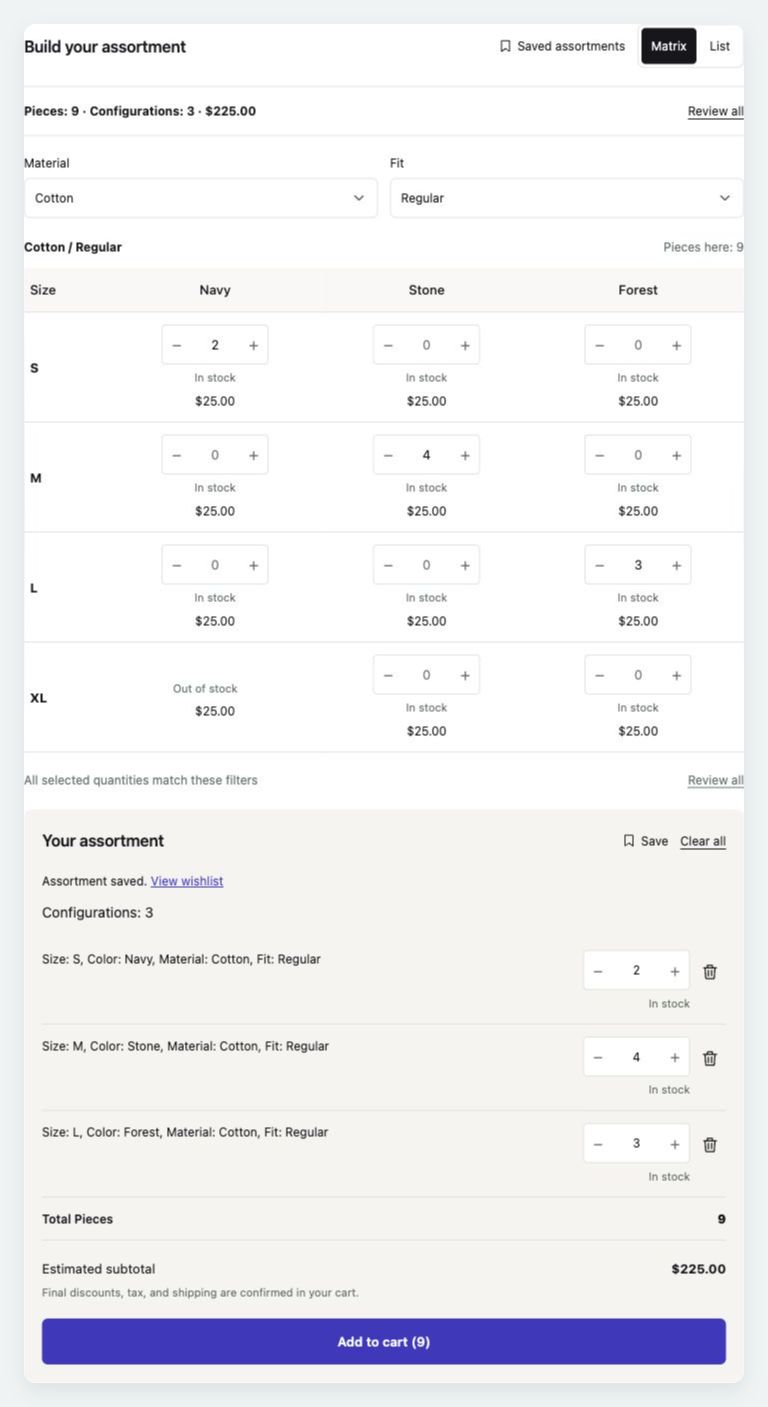
A matrix makes quantity entry familiar. A list makes longer ranges easier to browse. Both work from the same assortment.
Use rows and columns for two attributes. Additional attributes become selectors above the matrix. List view describes each complete configuration.
Filter, group, switch views, or move between pages. Quantities outside the visible results remain selected.
Your assortment shows the complete attributes, quantities, and estimated subtotal. Adjust quantities or remove a configuration before adding the selection together.
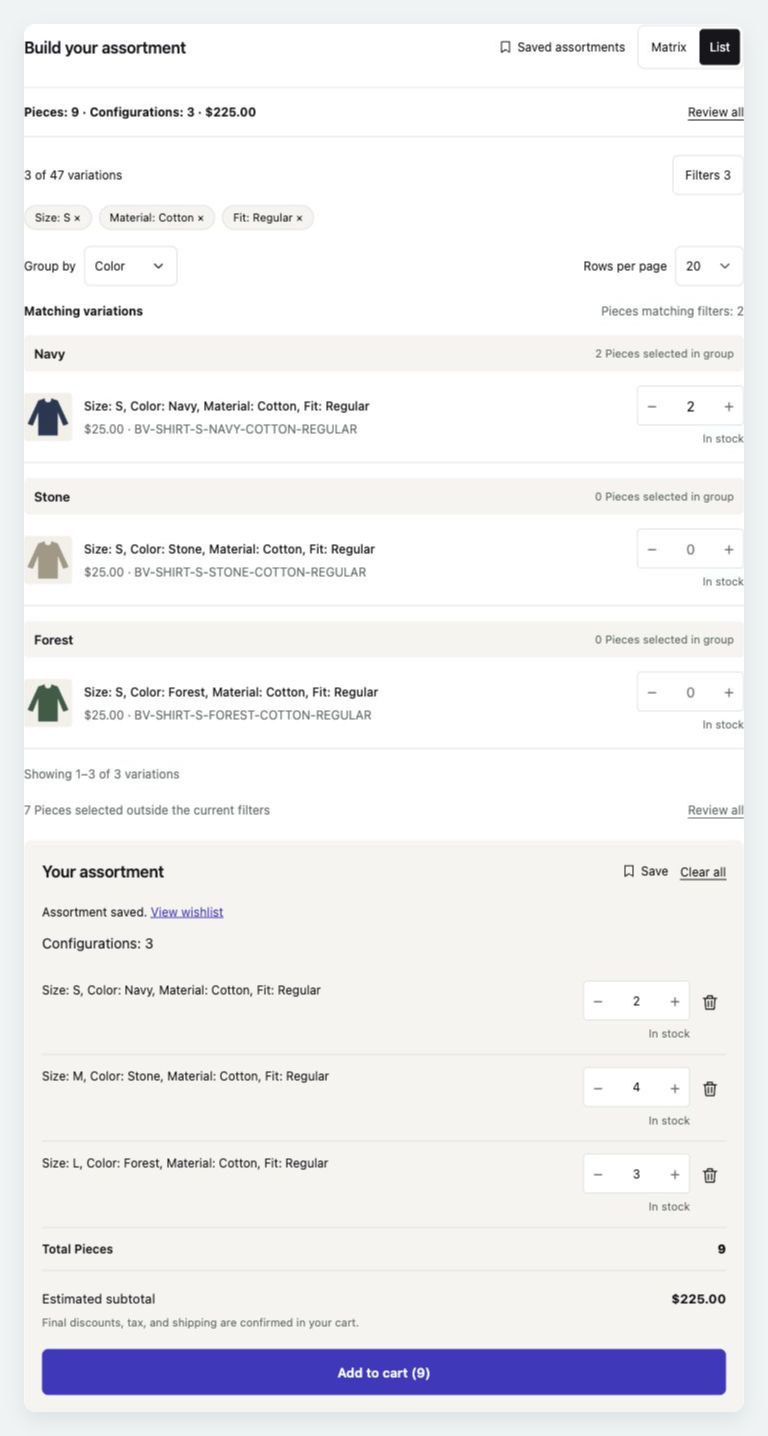
Real screenshots of the same assortment. Scroll within the image to see the full form.
Room for the order
Place bulk ordering in the product’s purchase area, or let the Bulk order link open a full-width form with a Back to product link. Choose the layout per product, profile, or store.
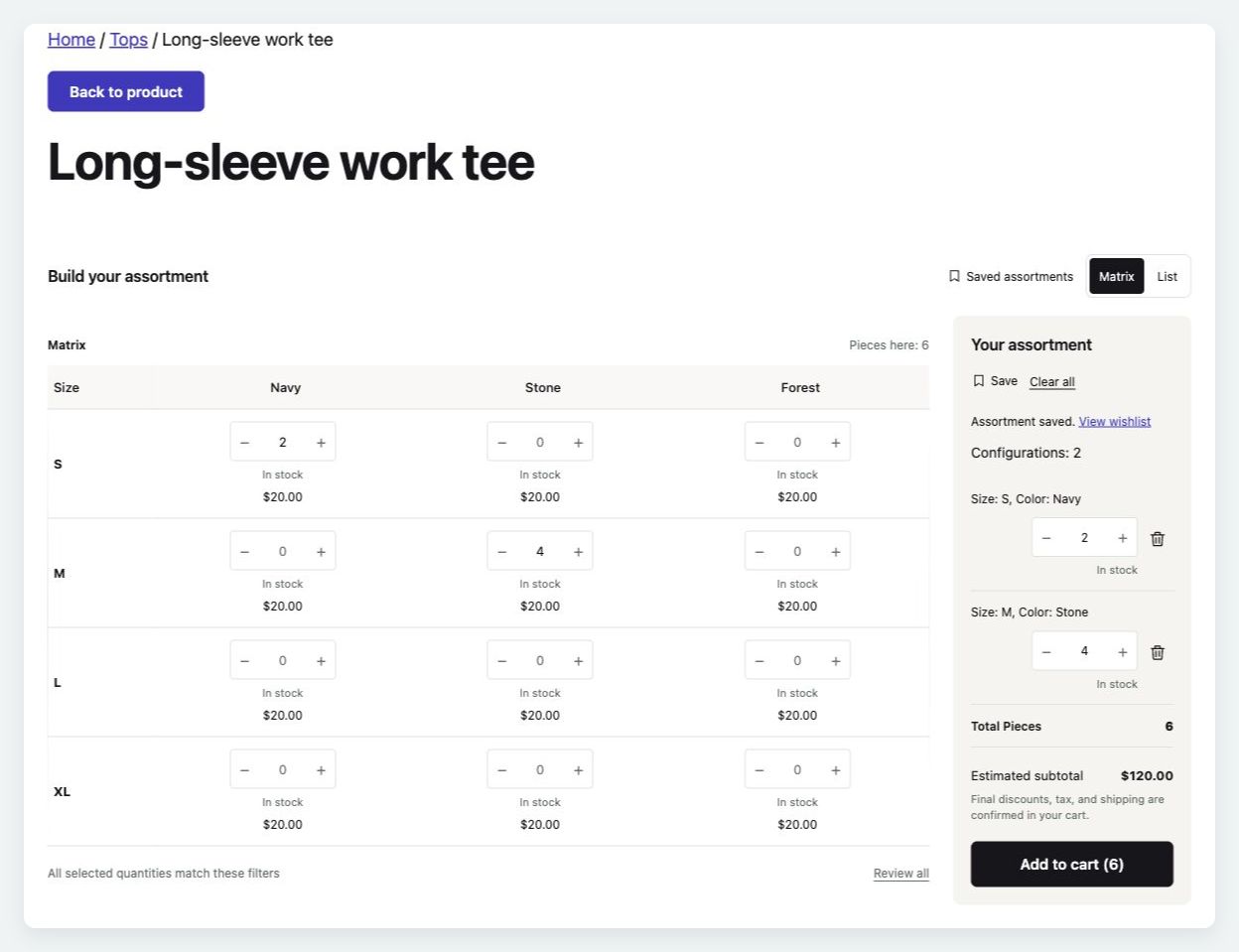
Classic product forms, WooCommerce’s Add to Cart with Options block, and shortcode placement are supported.
Try Full page orderingAn assortment worth keeping
With the separate WooCommerce Wishlists extension, buyers can name an assortment and resume it from the product page. Restore variations, whole-number quantities, and supported shared add-on answers.
Select Save in Your assortment after entering quantities. Use Saved assortments beside the view controls to reopen a saved selection for that product.
Each save creates a new wishlist. Guest saving follows your Wishlists settings; current prices and availability still apply when ordering.
Try saving an assortment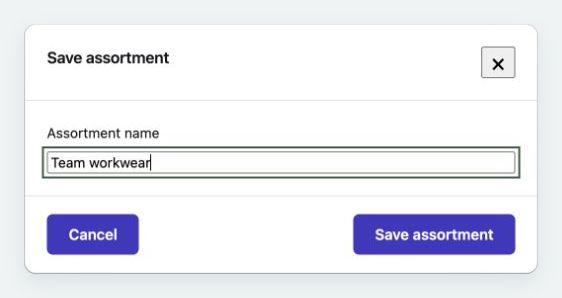
Set it up for the way you sell
Choose Matrix, List, or both. Set the axes, default grouping, layout, and whether Standard ordering is available.
Reuse settings across products with exactly the same global variation attributes. Custom and Disabled products keep their own settings.
Supported Product Add-Ons and Gravity Forms Product Add-Ons fields can apply once across the selection. Each cart line receives the same answers and the extension’s normal charges.
Check the fit
Bulk Variations 2.0 is available on WooCommerce.com. Existing customers with an active subscription can update from their WooCommerce account. Review the setup and upgrade guide before updating a customized store.
Each bulk form orders variations of one variable product. It is not a multi-product order table.
Products can have more than two variation attributes. The displayed catalog is bounded at 2,500 complete configurations; products above that limit use Standard ordering.
The subtotal is an estimate. Final discounts, option charges, tax, and shipping are confirmed in the cart. Test your store’s pricing rules and integrations on staging.
Enabled products retain their settings and use the Full page layout. The storefront interface is new: custom templates, old CSS selectors, and JavaScript customizations need review. Legacy row-wide quantity shortcuts are not included. Read the setup and upgrade guide before updating a customized store.
Purchases, updates, and support run through WooCommerce.com. Support tickets are answered by the Bulk Variations developer.
Bulk Variations 2.0 · Now available
Explore Matrix and List views, filters, saved assortments, and Full page ordering in the live demo. Get Bulk Variations 2.0 on WooCommerce.com.