
Dynamic Pricing Recipe
Buy 2, Get 1 Free
The whole setup, on one screen, with the numbers from a real cart. About two minutes.
Read this first: the customer needs 3 in the cart
"Buy 2, get 1 free" is a block of three items—two paid, one free. At a quantity of 2 there is no discount, and that is correct behaviour rather than a broken rule. It is also the single most common reason someone thinks this feature is not working.
What you need
- WooCommerce Dynamic Pricing, activated
- A simple or variable product with a price set
Configure the rule
- Edit the product, and open the Dynamic Pricing tab in the Product data panel.
- Click Add Pricing Group.
- Leave Applies To on Everyone, and Quantities based on on Product Quantity.
- Set Rule Processing Mode to Special Offer. This is the step people miss—the default, Bulk, builds quantity-break tables instead, and will never produce a free item.
- Fill the row: Purchase 2, Receive 1, type Percentage, amount 100, Repeating: Yes.
- Update the product.
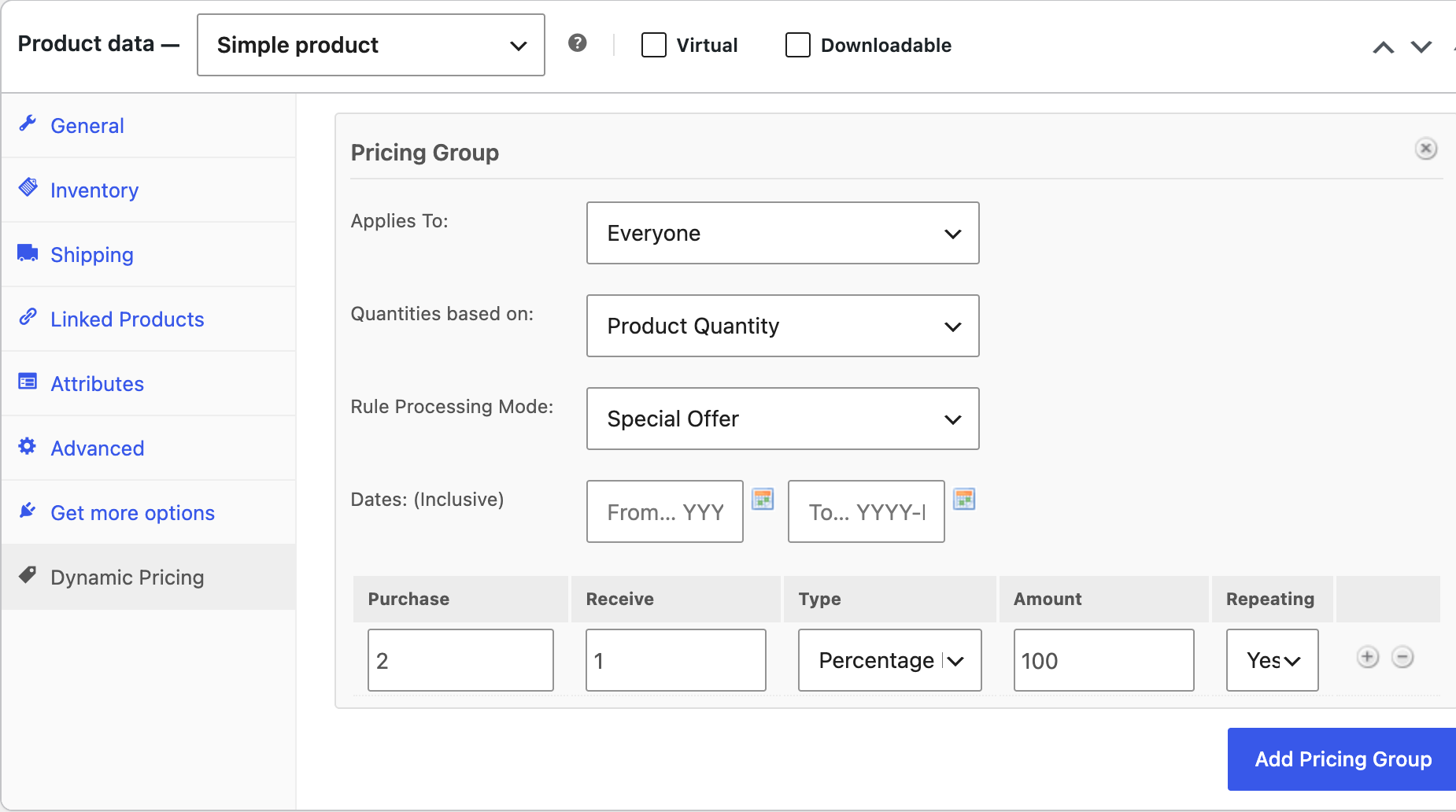
What each field does
| Field | Meaning |
|---|---|
| Purchase | How many they pay for |
| Receive | How many are discounted on top of that |
| Type & Amount | Percentage 100 makes the received items free. Percentage 50 would make them half price |
| Repeating | Yes applies the offer again for every further block of 3. No gives one free item per order however many they buy |
What the customer is charged
Measured on a $20.00 product with the rule above, repeating set to Yes:
| In cart | Full price | Charged | Free items |
|---|---|---|---|
| 1 | $20.00 | $20.00 | — |
| 2 | $40.00 | $40.00 | — not yet a full block |
| 3 | $60.00 | $40.00 | 1 |
| 4 | $80.00 | $60.00 | 1 |
| 6 | $120.00 | $80.00 | 2 |
| 9 | $180.00 | $120.00 | 3 |
What it looks like in the cart
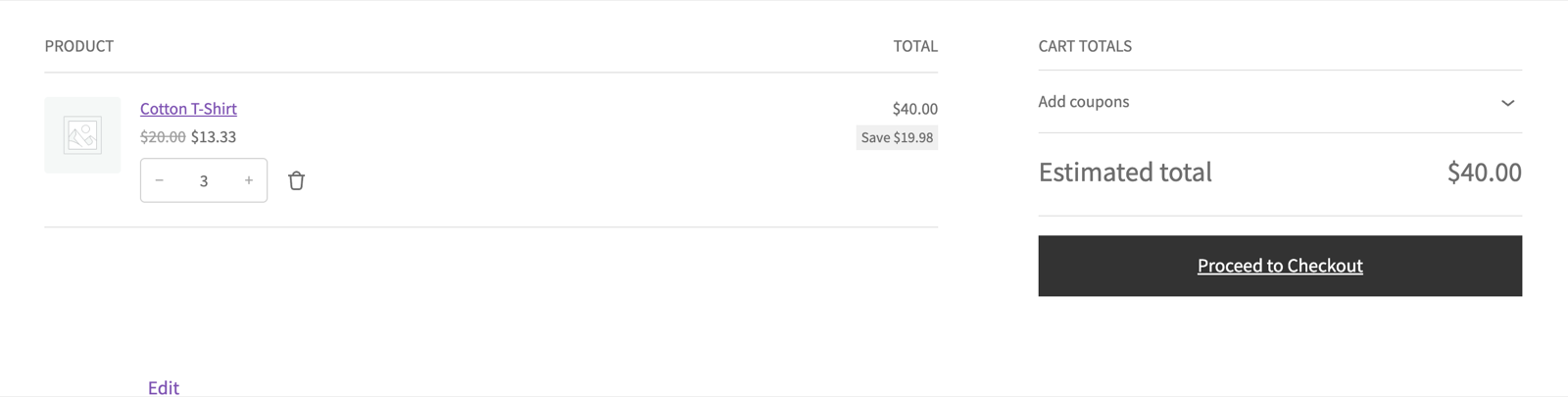
Note the unit price: WooCommerce shows $13.33 rather than two at $20.00 and one at zero. The discount is spread across the line rather than applied to one unit, because a cart line holds a single price per item. The line total and the order total are exact—only the per-unit display is averaged, and the saving badge rounds to match it.
Variations on the same rule
| You want | Change |
|---|---|
| One free item per order, not per block | Repeating: No |
| Buy 3, get 1 half price | Purchase 3, Receive 1, Percentage 50 |
| Buy 1, get 1 free | Purchase 1, Receive 1 — the customer needs 2 in the cart |
| Wholesale customers only | Applies To → Specific Roles, then pick the role |
| A weekend promotion | Fill the Dates fields. The rule switches itself on and off |
| Any 3 from a category, not one product | Quantities based on → Quantity of Category |